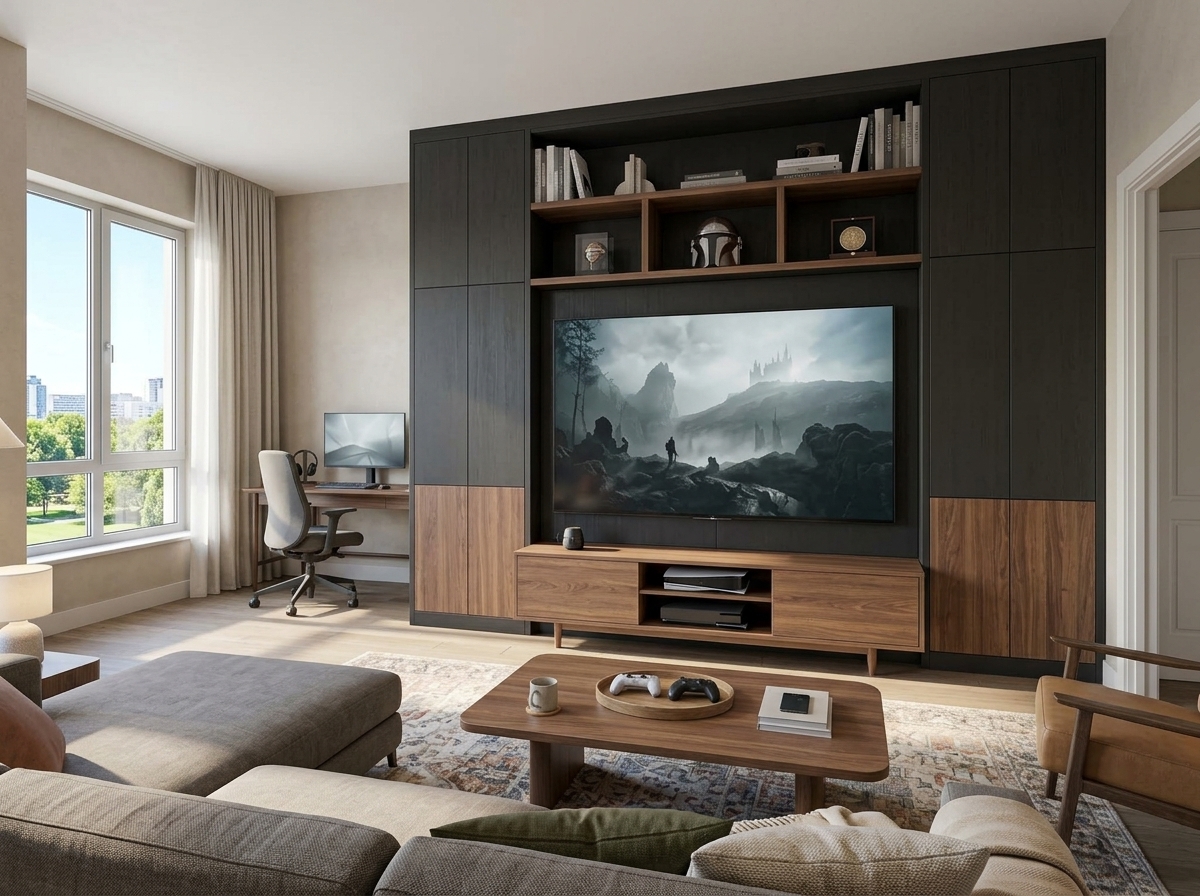
35 Gaming Living Room Ideas That Make Your Setup Stylish, Cosy and Seriously Fun
A gaming living room should be somewhere you genuinely want to spend time, whether you are settling in for an evening of console gaming, playing online with friends or simply watching a film with your family. The challenge is incorporating screens, consoles, computers and accessories without making the entire room feel like a collection of gaming equipment.
The most inviting setups get the balance right. A comfortable sectional can face a beautifully designed television wall, while a compact gaming desk fits naturally beside existing furniture. Thoughtful lighting creates an immersive atmosphere at night without turning the room into a glowing arcade during the day. Even a small apartment can accommodate an excellent gaming setup when the furniture, storage and technology are planned together.
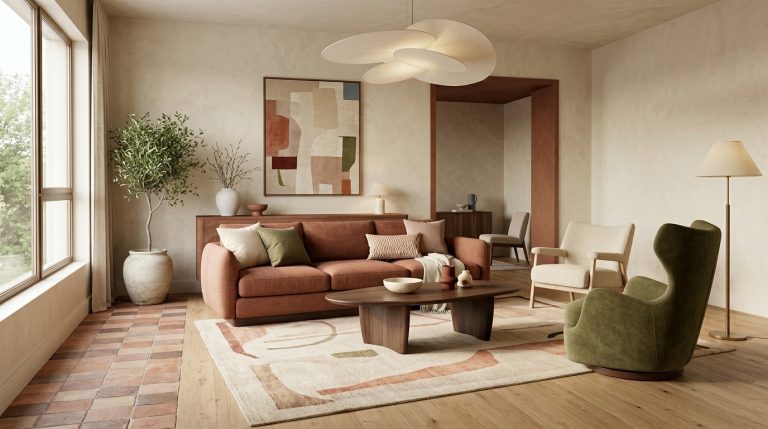
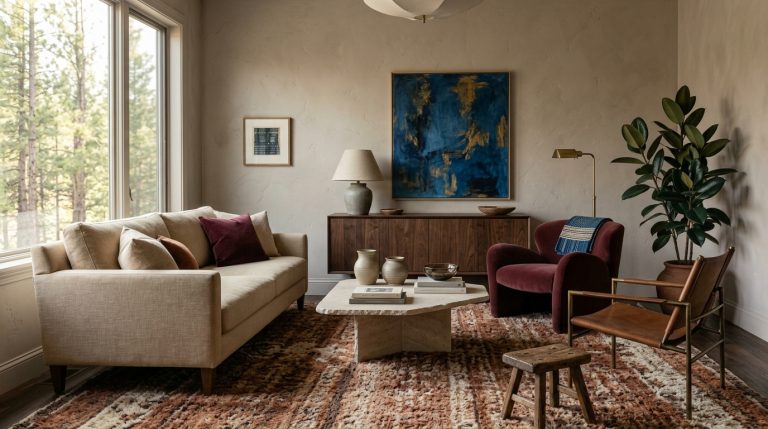
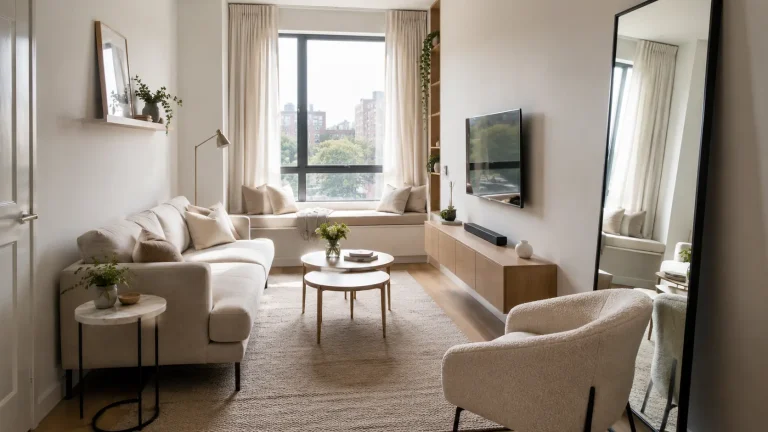
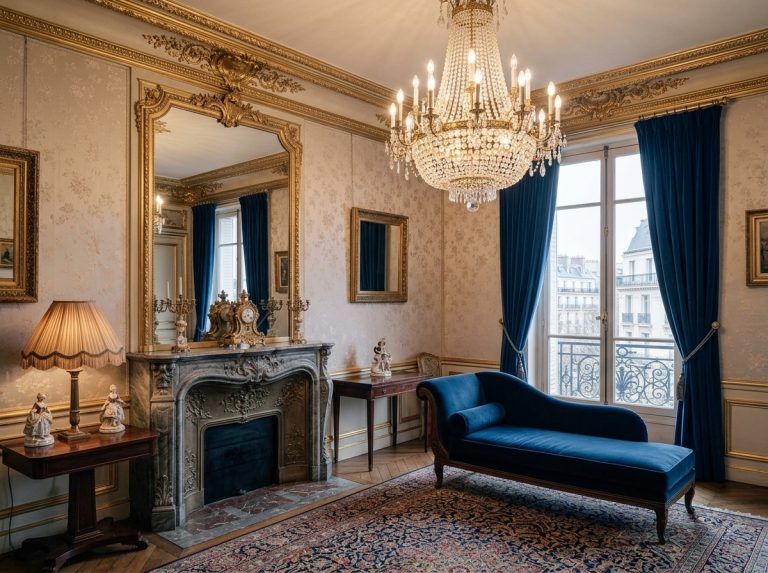
There is also no single gaming aesthetic you have to follow. A dark, sophisticated lounge with walnut cabinetry and subtle lighting can feel completely different from a colourful retro gaming corner, a cosy apartment filled with vintage furniture or a contemporary living room with an almost invisible console setup.
These 35 gaming living room ideas explore how to combine everyday comfort with a practical gaming environment. From clever layouts and stylish TV walls to PC gaming corners, couple setups, family entertainment areas and personalised gaming decor, each idea focuses on creating a space that looks as good when the screens are switched off as it does during your favourite game.
Create a Cosy Gaming Lounge That Still Feels Like a Living Room
The best gaming living rooms begin with comfortable seating and an arrangement that makes sense for everyday life. Before choosing RGB lighting, themed artwork or elaborate shelving, decide how the room will function when nobody is gaming. That approach makes it easier to integrate technology without allowing it to dominate the entire interior.

1. Build the Room Around a Comfortable Console Gaming Sofa
A console-focused living room works best when the main sofa and television form one comfortable, well-proportioned arrangement. Instead of placing a gaming chair in front of an otherwise ordinary lounge, let the existing seating become part of the setup.
Position the sofa at a comfortable distance from the screen, taking the television’s size and the room’s dimensions into account. A substantial rug can connect the seating to the media cabinet, while an appropriately sized coffee table provides space for drinks, controllers and everyday accessories. Choose a cabinet with useful storage so the console remains accessible without leaving the television area crowded with equipment.
For a more polished appearance, repeat one material between the media cabinet and surrounding furniture. A walnut console paired with a similar-toned coffee table, for example, makes the technology feel naturally integrated into the room.
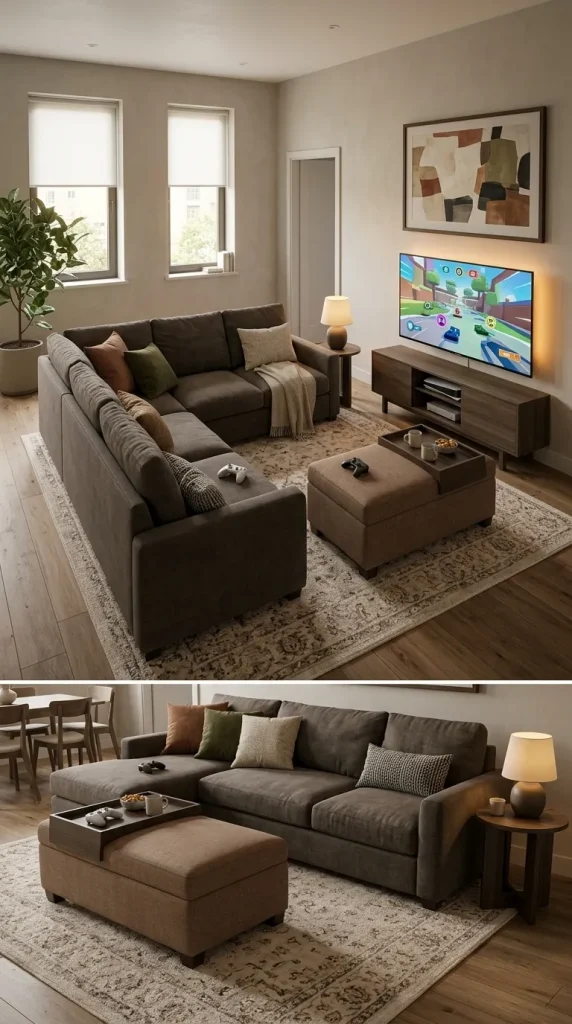
2. Create a Multiplayer Gaming Lounge With a Sectional Sofa
A sectional can be an excellent foundation for a shared gaming living room because it accommodates several people without requiring a collection of separate gaming chairs. It also works equally well for film nights, conversation and ordinary family relaxation.
Choose the sectional’s orientation according to the television, doors and main walking routes. An L-shaped configuration can help define the seating area, particularly in an open-plan home, while a more compact corner sofa may be better suited to an apartment. A soft rug and substantial ottoman can make the space feel inviting without introducing unnecessary furniture.
Keep spare controllers and gaming accessories within easy reach but out of sight when they are not needed. A low media cabinet or storage ottoman can make the room more practical without compromising its appearance.
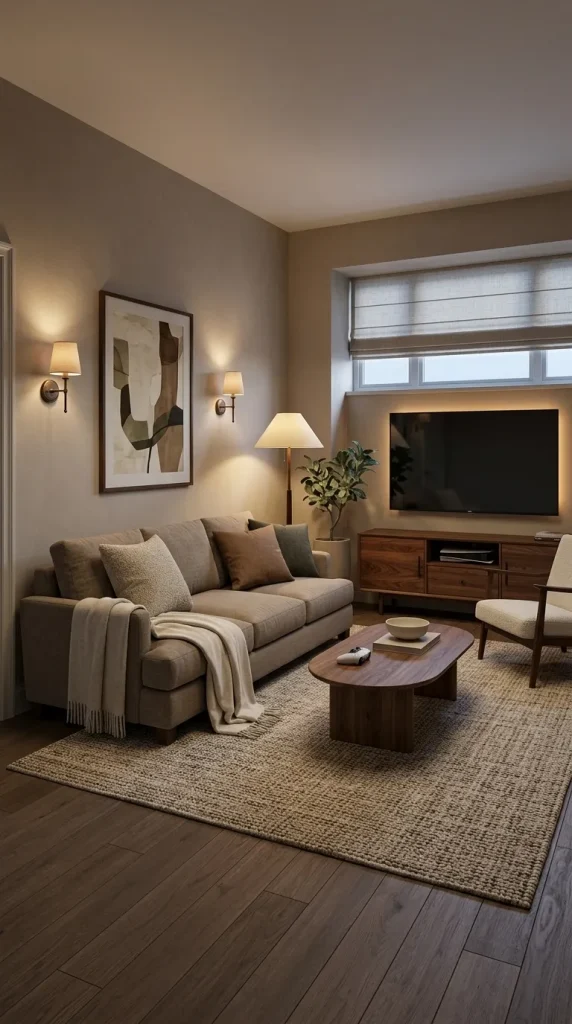
3. Design a Warm Gaming Lounge With Walnut and Soft Textures
A cosy gaming room does not need black walls or brightly coloured LED strips. Warm timber, soft upholstery and carefully layered lighting can create an atmosphere that feels sophisticated during the day and immersive in the evening.
Try a deep beige or charcoal sofa, a walnut media cabinet and a large textured rug. Introduce warm lighting through wall sconces, a floor lamp or subtle illumination behind the television. The timber provides warmth, while the textiles prevent the equipment and screen from making the room feel visually hard.
This approach is particularly effective in a shared living room because the gaming setup blends into the surrounding furniture. When the television is switched off, the space still looks like a comfortable, thoughtfully decorated lounge.
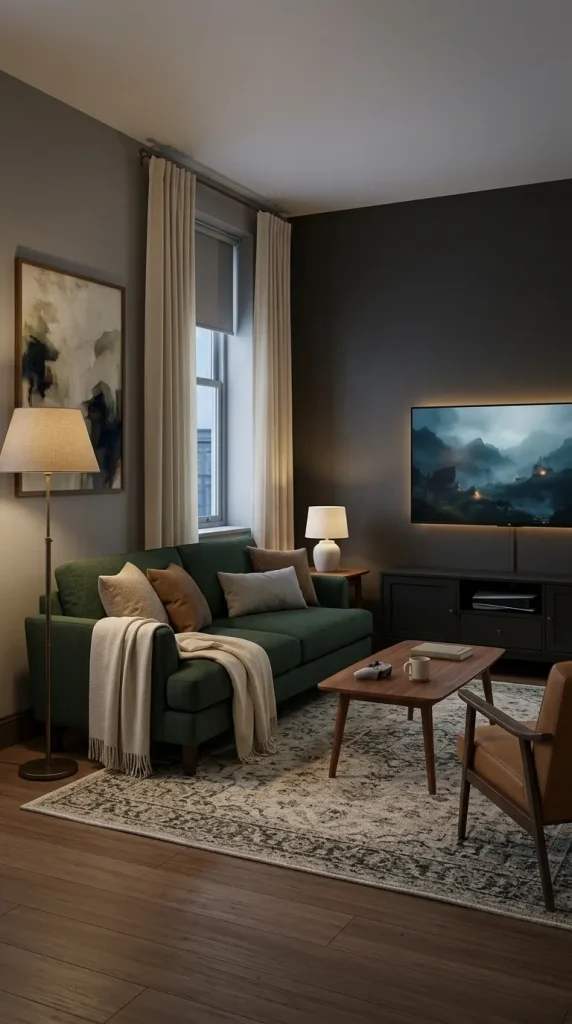
4. Create a Dark and Moody Gaming Den
A darker colour palette can create an immersive gaming atmosphere without relying on a traditional black-and-neon aesthetic. Deep charcoal, forest green, midnight blue and muted black provide rich backdrops for screens, artwork and warm lighting.
Choose one principal wall colour and balance it with substantial upholstery, a soft rug and natural materials. A charcoal television wall with dark-green seating and a walnut coffee table can feel dramatic without becoming cold. Warm lamps are especially important because they establish comfortable illumination when the screen is not in use.
Keep the room functional during the day as well. If natural light is limited, introduce enough contrast through curtains, artwork and lighter textiles to prevent every surface from merging into one dark composition.
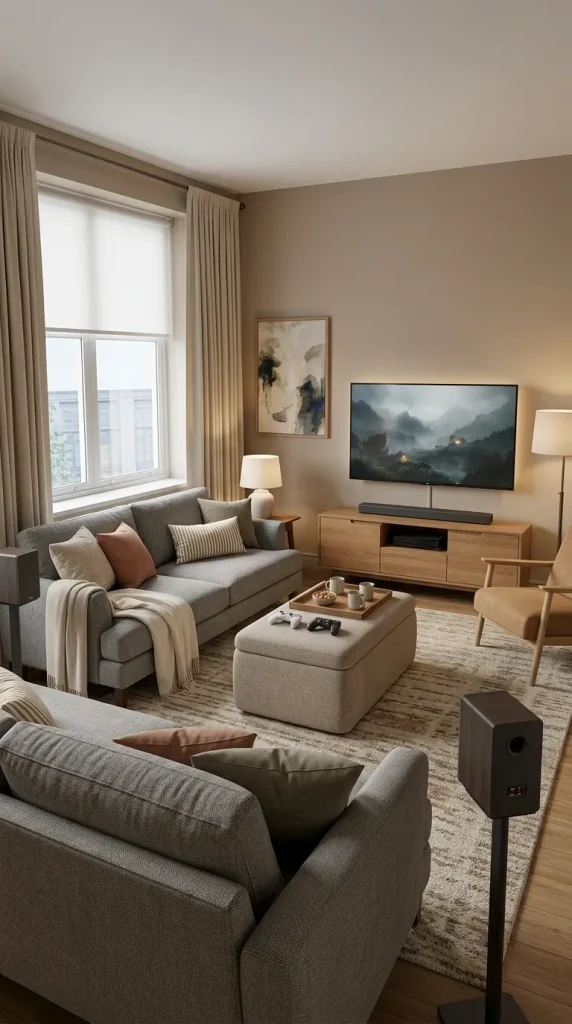
5. Combine Your Gaming Lounge With a Home Cinema
A living room designed for both gaming and films needs comfortable seating, appropriate screen placement and lighting that can adapt to different activities. The same television wall can support both functions when the equipment and furniture are arranged deliberately.
Position the main sofa directly in relation to the screen and consider blackout or light-filtering curtains where daylight creates distracting reflections. A storage ottoman or practical coffee table can accommodate controllers and everyday accessories without making the room feel dedicated exclusively to gaming.
If you use external speakers or surround sound, plan their placement around the seating rather than adding them after every other decorating decision has been made. Soft furnishings can help reduce harsh reflections within the room, while layered lighting makes the space comfortable when the screen is off.
Design a Gaming TV Wall That Looks Good Every Day
The television wall is often the most visually dominant part of a gaming living room. It needs to accommodate the screen, console, accessories and potentially speakers without becoming overcrowded. The strongest designs establish one clear focal point and use cabinetry, colour and lighting to make the technology feel intentional.
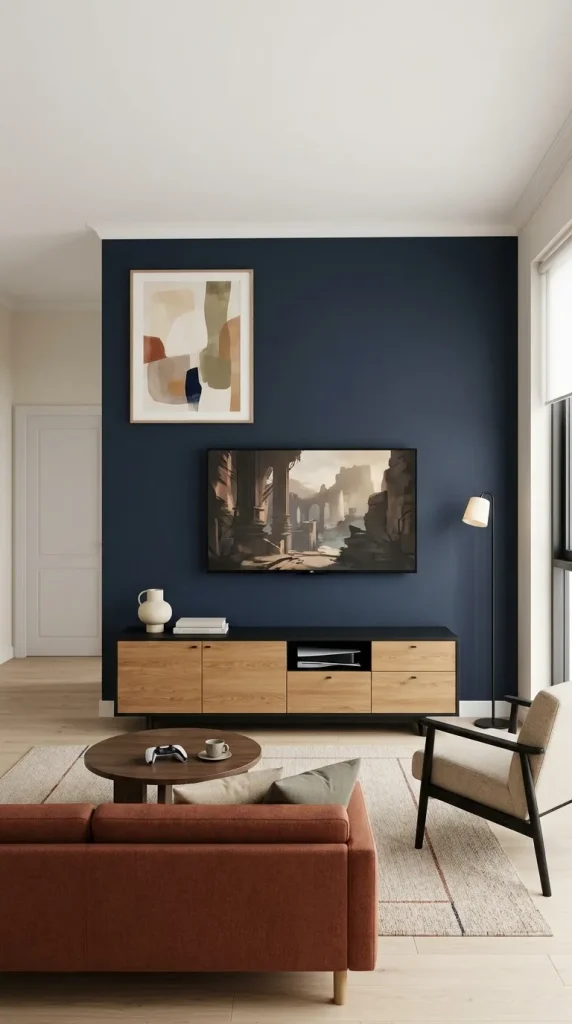
6. Give Your Television a Simple Dark Feature Wall
Painting the wall behind the television can be one of the most effective ways to give a gaming setup a more deliberate appearance. Charcoal, deep navy or a muted green can visually frame the screen and reduce the contrast between the black television and its surroundings.
Pair the painted wall with a suitably proportioned media cabinet and keep decorative accessories relatively restrained. A few larger objects generally look calmer than numerous small ornaments positioned around the screen.
This approach is particularly useful when you want the impact of a dedicated gaming wall without purchasing expensive panelling or custom cabinetry. It can also make an ordinary console setup feel more connected to a mature, contemporary living room.
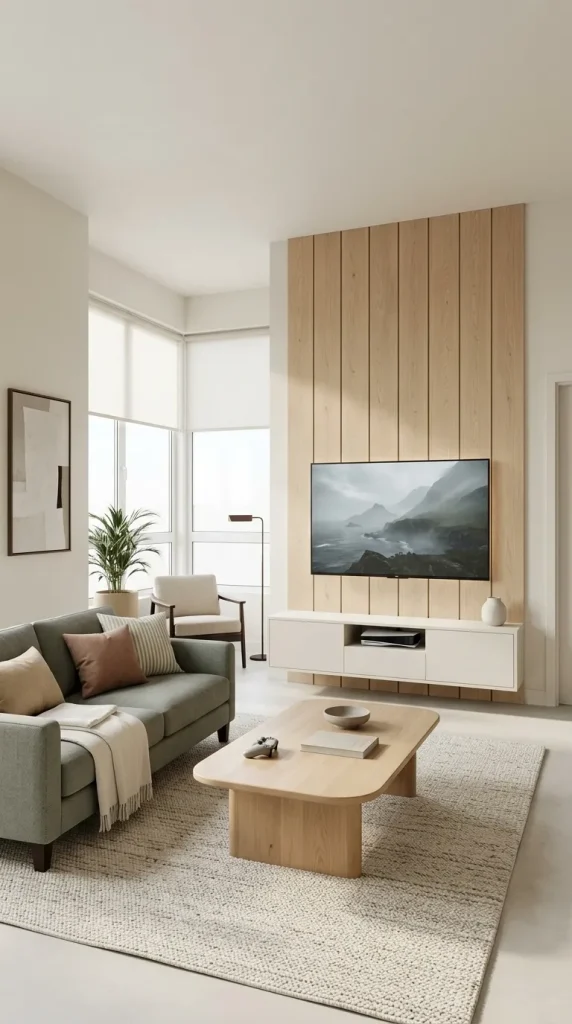
7. Introduce Warm Timber Panelling Behind the Screen
A timber feature wall can make a technology-heavy living room feel warmer and more architectural. Vertical wood slats, restrained oak panelling or a simple timber backdrop can connect the screen with the surrounding furniture.
Choose a wood finish that complements the coffee table, shelving or other substantial furniture. A walnut panel behind the television can work beautifully in a modern dark lounge, while pale oak may suit a brighter Scandinavian-inspired apartment.
Avoid installing decorative panelling simply because gaming setups often feature it. If the room already has strong architectural details or extensive shelving, a simpler painted wall may provide a better balance. The timber should contribute warmth and texture rather than becoming another competing visual feature.
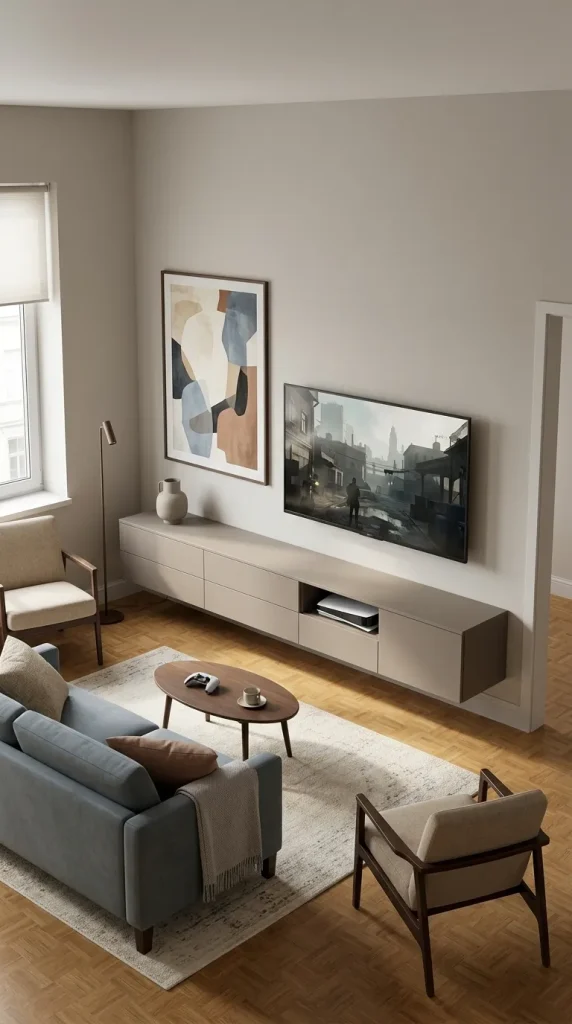
8. Use a Floating Media Cabinet for a Modern Console Setup
A floating media cabinet can give a gaming living room a cleaner, more contemporary appearance by keeping the floor beneath the television visually open. It works particularly well in smaller spaces where bulky furniture can make the room feel crowded.
Choose a cabinet with appropriate compartments for your console, controllers and other equipment. Closed drawers can conceal accessories, while properly ventilated sections provide space for devices that generate heat. Cable openings and suitable installation are important because visible wires can undermine an otherwise streamlined arrangement.
A simple floating cabinet, wall-mounted television and one substantial piece of nearby artwork can create an attractive setup without requiring elaborate lighting or additional decorative shelving.
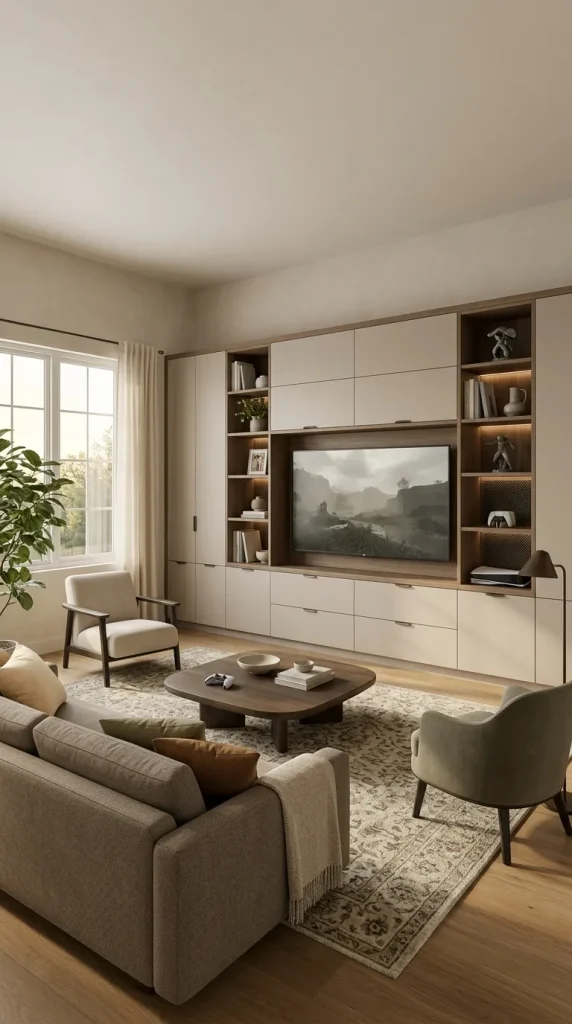
9. Build a Full Entertainment Wall With Integrated Gaming Storage
A larger living room may benefit from a complete entertainment wall that combines the television, gaming equipment, books and selected collectibles. This approach can make substantial technology feel like part of the room’s architecture rather than a collection of unrelated devices.
Use closed cabinetry for accessories that do not need to remain visible, while reserving a few open shelves for decorative objects or a carefully curated gaming collection. Keep the screen as the central feature and avoid surrounding it with too many brightly illuminated compartments.
The cabinetry should also allow equipment to be upgraded or maintained. Plan suitable ventilation, cable access and storage dimensions before committing to custom furniture. A beautiful installation becomes frustrating if it is difficult to connect a new console or reach the cables behind the screen.

10. Use Subtle Bias Lighting Behind the Television
Lighting behind a television can soften the visual contrast between a bright screen and a dark room. It also creates a more immersive atmosphere without requiring bright LED strips around every piece of furniture.
Choose suitable lighting that remains relatively subtle and position it so the glow spreads across the wall rather than reflecting directly into the viewer’s eyes. A neutral white setting can work particularly well for everyday television viewing, while adjustable lighting offers more flexibility when you want a different gaming atmosphere.
Keep ordinary room lighting available as well. The backlight should supplement table lamps or floor lamps rather than becoming the only source of illumination. This allows the room to transition naturally from gaming to conversation or other evening activities.
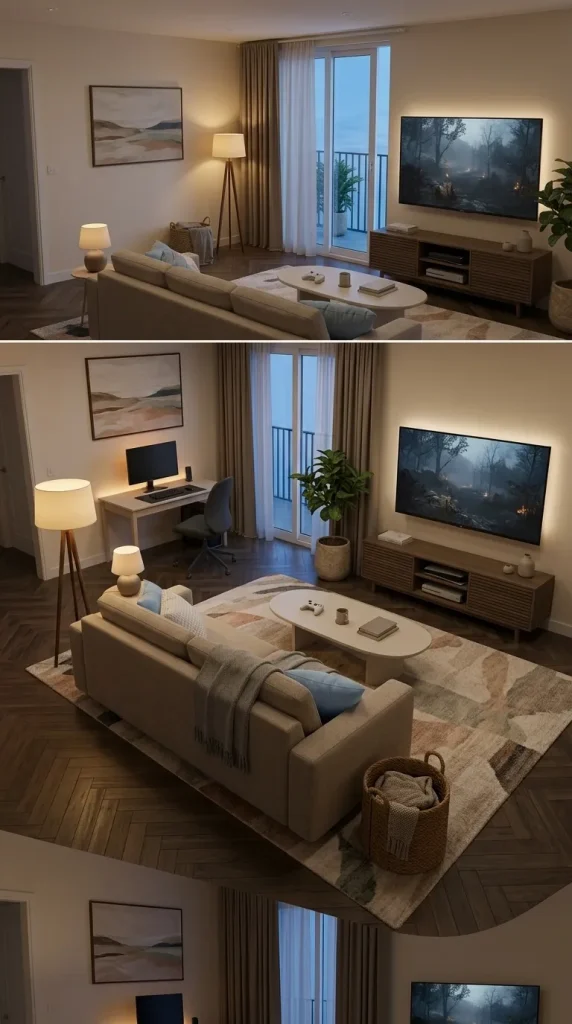
11. Create a Living Room That Changes From Day Mode to Gaming Mode
One of the most useful design approaches is creating a room that feels bright and welcoming during the day but becomes more atmospheric when you start gaming in the evening.
Begin with a balanced furniture arrangement, comfortable natural materials and lighting that suits everyday living. Then introduce dimmable lamps, suitable window coverings and subtle accent lighting around the television or gaming desk.
During the day, the room can rely on natural light and its existing colour palette. At night, lower the ambient lighting and use carefully positioned illumination to create a more immersive environment. This dual-purpose approach is particularly valuable in family homes and shared apartments where the living room cannot remain in gaming mode all the time.
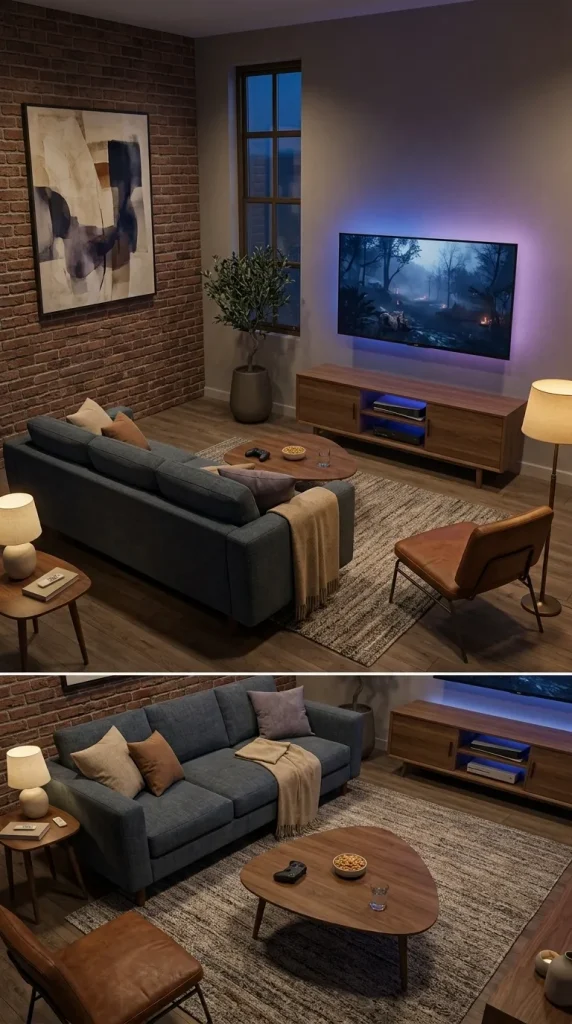
12. Use Controlled RGB Lighting for a Colourful Gaming Atmosphere
RGB lighting can create a playful, expressive gaming space when it is used deliberately. Instead of lining every wall and piece of furniture with exposed LED strips, concentrate the colour around one defined area, such as the television, gaming desk or collectible shelves.
Choose a limited colour combination that complements the room. Blue and purple can create a cooler futuristic atmosphere, while warmer amber tones may work better alongside timber and neutral upholstery. Adjustable lighting allows the room to feel energetic during gaming sessions and more restrained when the equipment is not in use.
Make sure the lighting does not create distracting reflections on the screen or interfere with comfortable viewing. The strongest RGB setup enhances the room rather than overwhelming it.
Integrate a PC Gaming Desk Into Your Living Room
A PC gaming setup requires a different approach from console gaming. The desk, monitor, chair, desktop computer and accessories all need a suitable location, often within a room that already contains a sofa and television. The challenge is creating a dedicated station without making the living room look like an office.
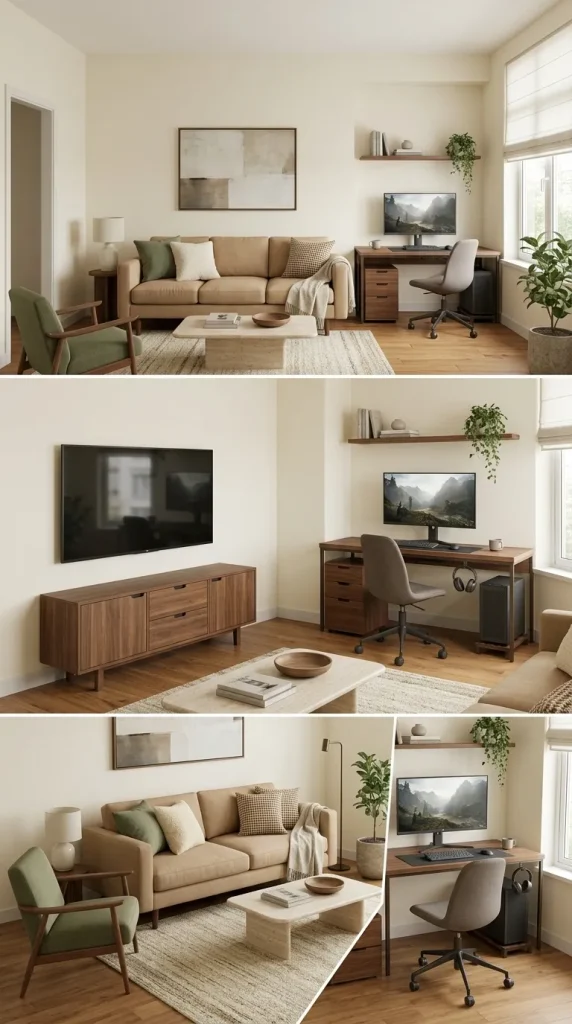
13. Turn an Unused Corner Into a Compact Gaming Station
A gaming corner is ideal when you need a PC setup but want the rest of the living room to retain its normal character. A compact desk, suitable monitor and comfortable chair can fit into an otherwise underused corner without becoming the room’s main focal point.
Choose desk materials and finishes that relate to the surrounding furniture. A walnut desk beside a matching media cabinet will feel more integrated than an unrelated oversized gaming table. A simple wall shelf or narrow drawer unit can provide additional storage without consuming much floor space.
Position the desk so the monitor does not receive distracting direct sunlight, and keep enough room for the chair to move comfortably. A well-planned corner can provide an excellent gaming environment without requiring a separate room.
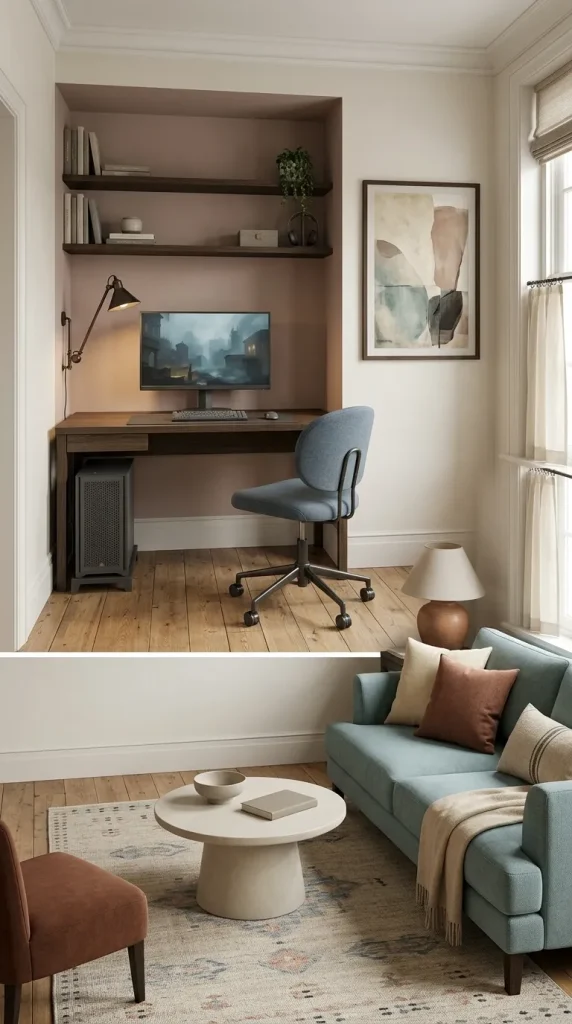
14. Fit a PC Gaming Desk Into a Living Room Alcove
An alcove can provide a natural home for a compact gaming desk, particularly in an apartment or older property with awkward recessed spaces. The surrounding walls help visually contain the equipment and separate the gaming station from the main seating area.
A desk sized to fit the alcove can accommodate a monitor, keyboard and desktop computer, while shelves above or beside it provide space for accessories. Choose appropriate task lighting and make sure the desk has enough depth for comfortable monitor placement.
Avoid enclosing the computer tower in a tightly fitted cupboard without adequate airflow. The alcove should feel like an intentional workstation, not a storage space into which the equipment has been forced.
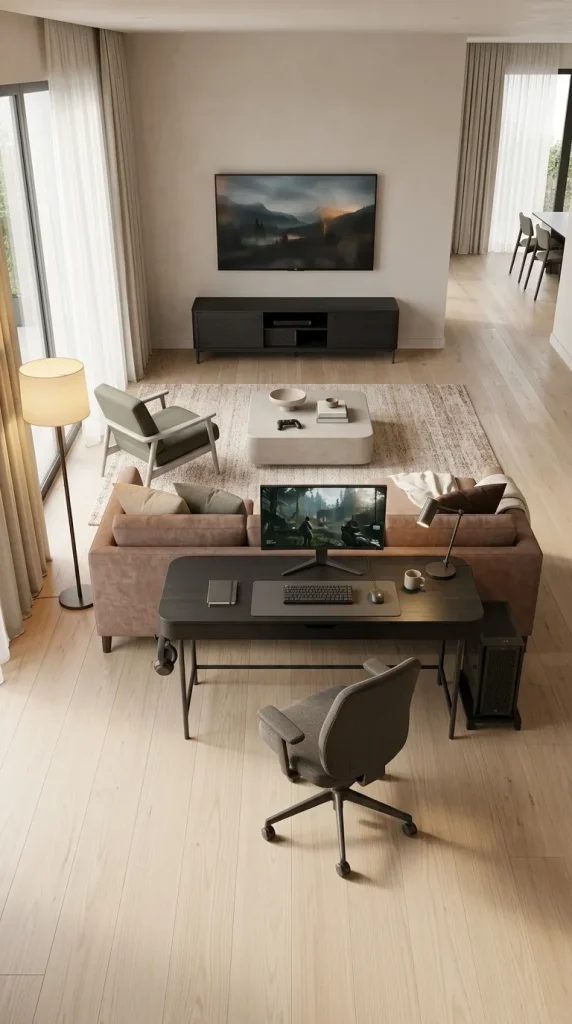
15. Place a Gaming Desk Behind the Sofa
In a larger living room or open-plan apartment, the space behind the sofa can become a useful location for a gaming desk. This arrangement allows the sofa to define the main lounge while the gaming station occupies a separate zone without requiring an additional room.
Choose a desk that complements the sofa and surrounding furniture. A long, relatively narrow design may work well where the available depth is limited, but make sure there is enough clearance for a comfortable chair and normal circulation.
This layout can be particularly useful when one person wants to use the gaming PC while someone else watches television. Consider screen reflections, headphone use and the direction of any speakers so the two activities can coexist comfortably.

16. Create a Desk That Works for Gaming and Working From Home
A combined gaming and home-office desk can make excellent use of a living room when space is limited. Instead of installing two separate workstations, choose a desk with enough surface area, appropriate monitor placement and practical storage for both activities.
A monitor arm can free valuable desk space, while a drawer unit keeps gaming accessories and work materials organised. Choose a comfortable ergonomic chair with a silhouette and upholstery that complement the surrounding living room furniture.
Lighting should adapt to the different tasks. A suitable desk lamp can provide focused illumination during work, while softer ambient lighting helps the station feel more relaxed during gaming. The desk should remain easy to tidy so it does not dominate the living room when neither activity is taking place.
Make Gaming Work in Small Living Rooms and Apartments
Small gaming living rooms need a deliberate approach to storage, furniture proportions and visual organisation. A compact space can accommodate an excellent setup, but unnecessary accessories and poorly positioned equipment quickly make it feel cluttered.
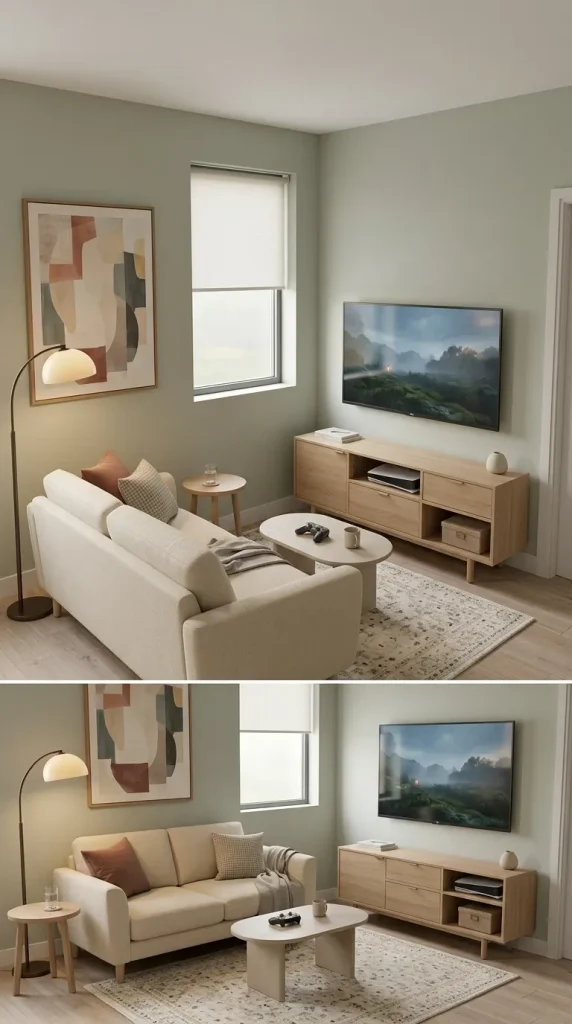
17. Create a Compact Console Station in a Small Apartment
A small apartment usually benefits from a console setup centred around the main television rather than a separate collection of gaming furniture. This keeps the number of large objects under control and allows the sofa to serve both gaming and everyday relaxation.
Choose a narrow media cabinet with useful closed storage and a suitable ventilated compartment for the console. Keep controllers and accessories in a drawer or dedicated container so the room looks tidy between sessions.
One substantial artwork, a comfortable sofa and appropriate lighting may provide all the surrounding decoration you need. The setup should feel like part of an attractive compact living room rather than a miniature version of a much larger gaming room.

18. Make a Studio Apartment Feel Cohesive With a Unified Gaming Setup
In a studio apartment, the gaming area, sofa, sleeping space and dining furniture may all be visible at once. Using a consistent palette and furniture style helps prevent the room from feeling divided into several unrelated zones.
A compact black or timber media console can connect visually with a small gaming desk, while a coordinated rug establishes the living area. Keep the larger furniture relatively simple and use one or two personal decorative features to establish character.
A narrow shelving unit or carefully positioned sofa can provide a subtle boundary between different functions, but avoid installing a bulky partition that blocks natural light. The best studio setup allows the gaming equipment to coexist comfortably with the rest of the home.
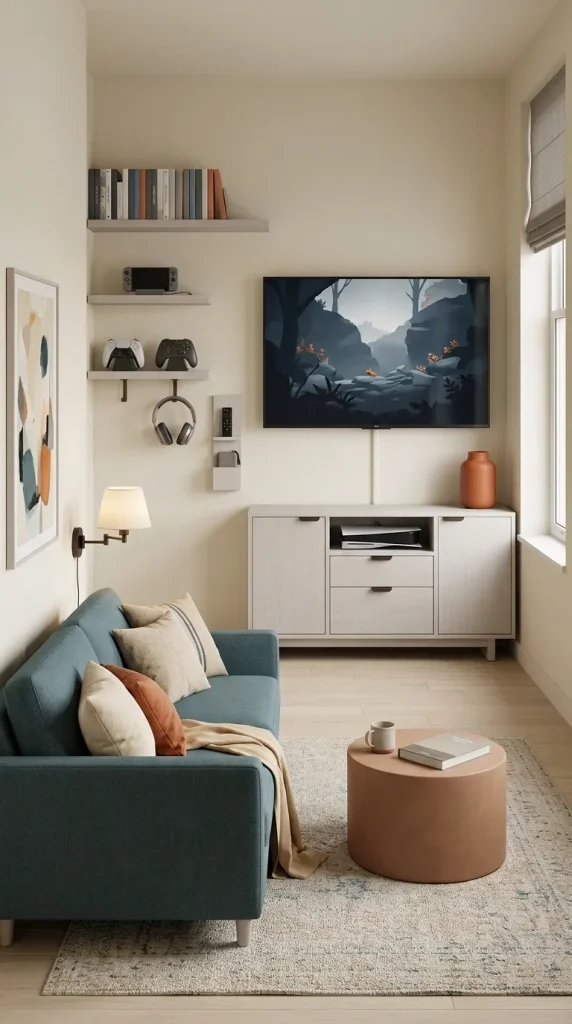
19. Use Vertical Storage for Controllers, Games and Accessories
Gaming accessories can accumulate surprisingly quickly, particularly in a small living room. Controllers, headsets, charging cables, physical games and handheld consoles all need accessible storage, but they do not necessarily need their own pieces of furniture.
Use the space around an existing media cabinet or desk before purchasing additional storage. Wall shelves, narrow drawer units and suitable vertical organisers can provide useful capacity without covering the floor.
Keep frequently used items accessible and place less attractive accessories inside closed storage. If you enjoy displaying game cases or collectibles, arrange them in one defined area rather than spreading them across every shelf in the room.
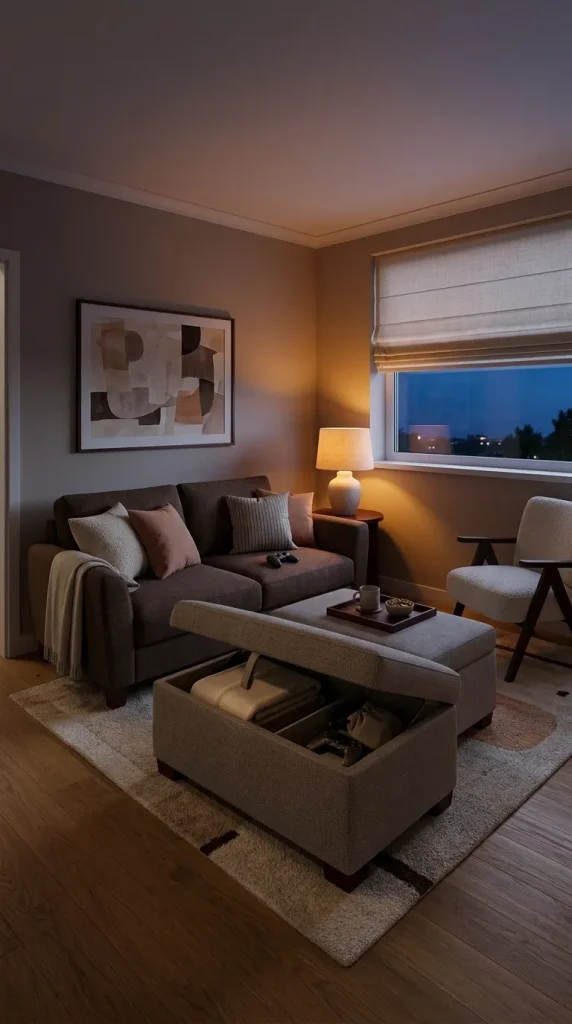
20. Choose a Storage Ottoman for a Clutter-Free Gaming Lounge
A storage ottoman can be particularly useful in a small gaming living room because it provides an extra surface or footrest while concealing accessories that would otherwise remain scattered around the sofa.
Choose a model with enough internal space for spare controllers, blankets or other suitable items. If it replaces the coffee table, use a stable tray when you need a surface for drinks or snacks.
The upholstery should relate to the sofa and surrounding textiles so the ottoman feels like ordinary living room furniture rather than a dedicated gaming accessory. This is an effective way to add practical storage without introducing another cabinet.
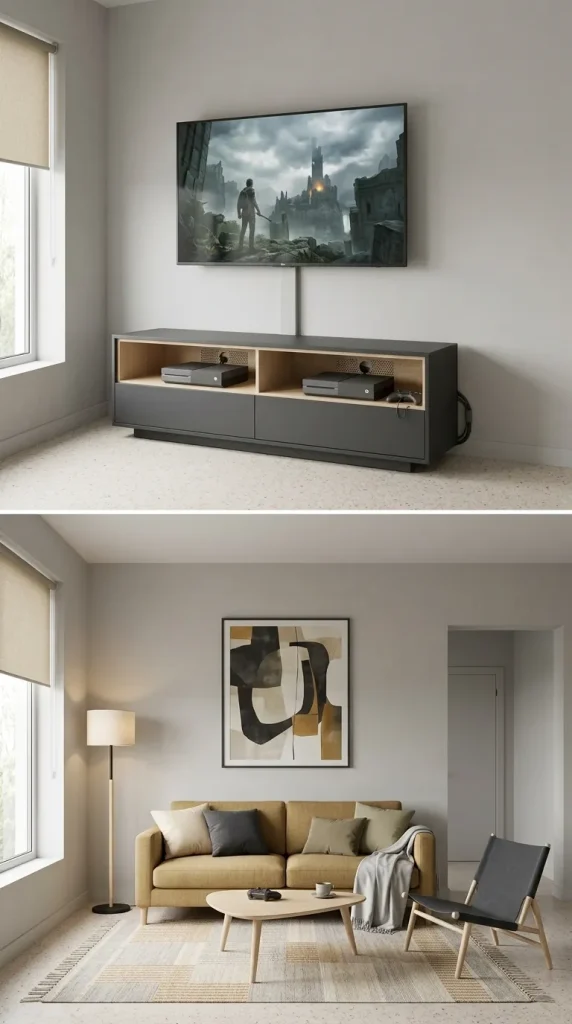
21. Conceal Cables Without Restricting Your Gaming Equipment
Cable management can make an enormous difference to the appearance of a gaming living room. Power cords, HDMI cables, controller charging leads and speaker wires can quickly undermine an otherwise attractive setup.
Use appropriate cable sleeves, channels, clips or furniture with integrated cable openings to create a cleaner arrangement. Keep frequently accessed connections practical, particularly if you regularly switch between consoles, computers or other equipment.
Do not prioritise concealment at the expense of ventilation or electrical safety. Consoles and computers require adequate airflow, and cables should be routed away from heat sources and places where they could become tripping hazards. A clean setup should also remain easy to maintain and upgrade.
Design a Gaming Living Room for Couples and Families
A shared gaming living room needs to support different preferences and activities. Some households want two people to game simultaneously, while others need one area for PC gaming and another for family television or console use. Comfortable seating, sensible equipment placement and accessible storage are especially important.
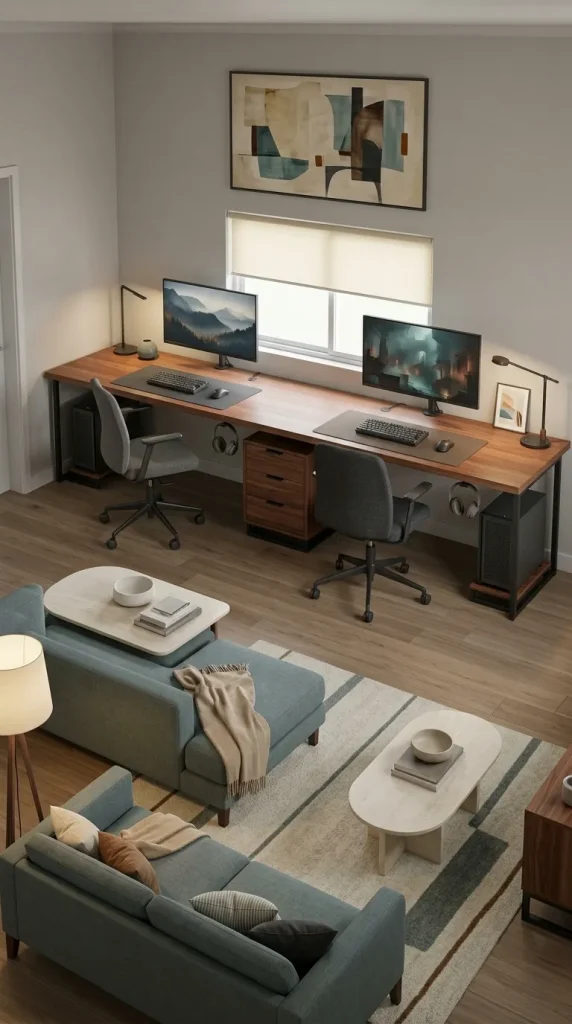
22. Create a Coordinated Dual-PC Gaming Setup for Couples
Two PC gaming stations can fit naturally into a living room when the desks are arranged as one cohesive furniture composition. A long shared desk or two matching compact desks positioned along one wall can provide separate workspaces without making the room feel unnecessarily fragmented.
Choose coordinated monitor placement, comfortable chairs and a shared storage system. Repeating timber finishes or metal details from the media cabinet can connect the desk area to the main lounge.
Consider the practical relationship between the two stations. Each person needs enough space for their chair, keyboard and accessories, while monitors should be positioned to minimise glare and unnecessary screen reflections. Separate task lighting and headphones may also make simultaneous gaming more comfortable.
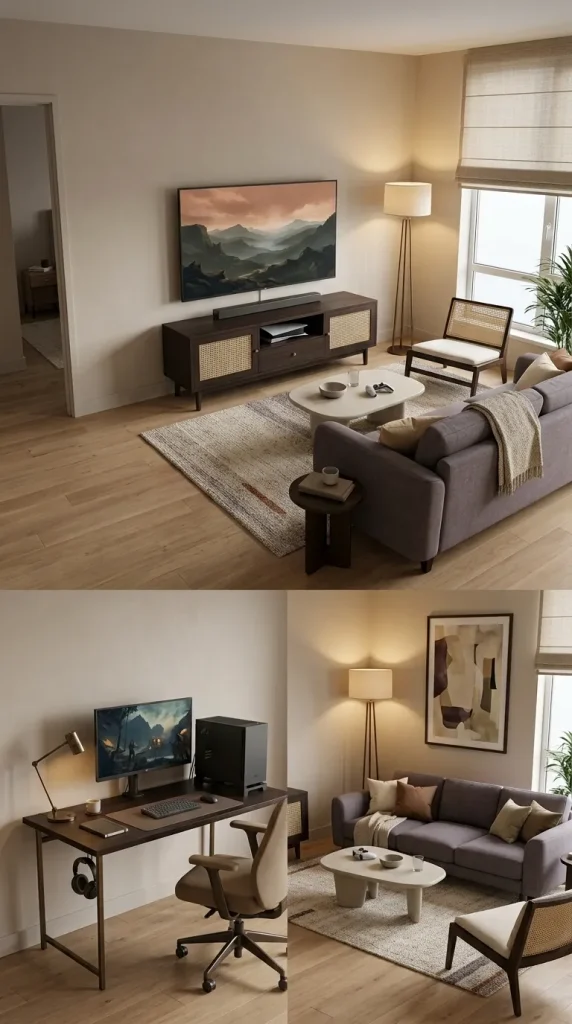
23. Combine One PC Gaming Station With a Shared Console Lounge
Not every couple needs identical gaming setups. One person may prefer PC gaming while the other enjoys console games from the sofa, making a hybrid layout more useful than a pair of desks.
Place the main television and console opposite the sofa, then integrate a compact PC desk along a side wall or behind the seating. Choose compatible furniture finishes so the two gaming areas belong to the same room.
The layout should allow both activities to happen without obstructing one another. Consider chair clearance, cable paths and sound management, particularly if the desk sits close to the main television. A hybrid arrangement can be an excellent solution for apartments where a dedicated gaming room is unavailable.
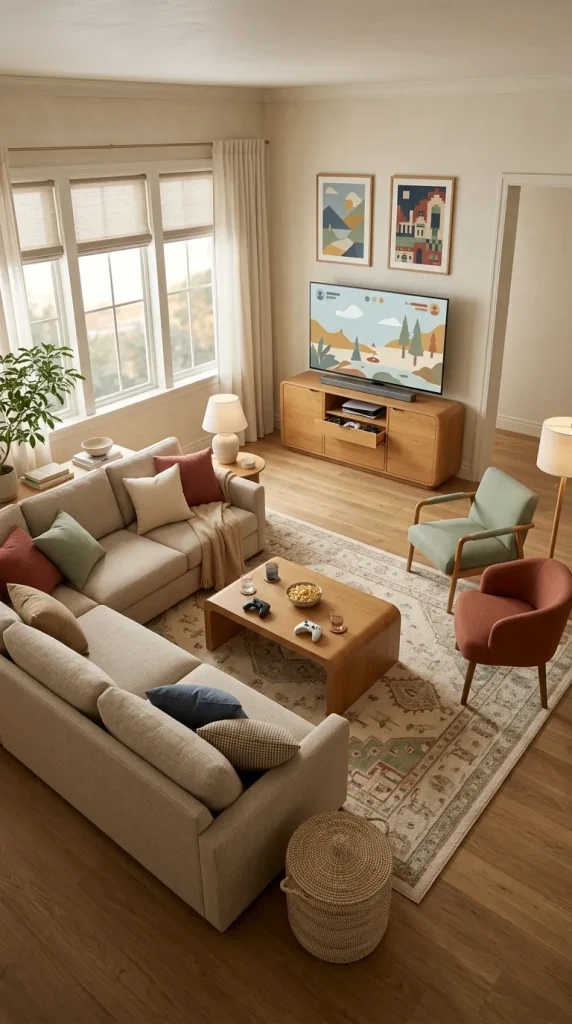
24. Create a Family Gaming Lounge With Accessible Storage
A family gaming living room should accommodate multiplayer sessions, films and everyday relaxation without becoming overly focused on one person’s equipment or aesthetic.
A substantial sofa or sectional can establish the main seating area, with one or two movable chairs providing flexibility when more people want to play. Use closed storage for controllers, game cases and accessories, and keep frequently used items within easy reach.
Choose a palette and decorating style that suit the wider household. Warm neutrals, timber furniture and selected gaming artwork can create a welcoming space without requiring dark walls or extensive coloured lighting. The goal is a room that feels equally comfortable for gaming, conversation and ordinary family life.
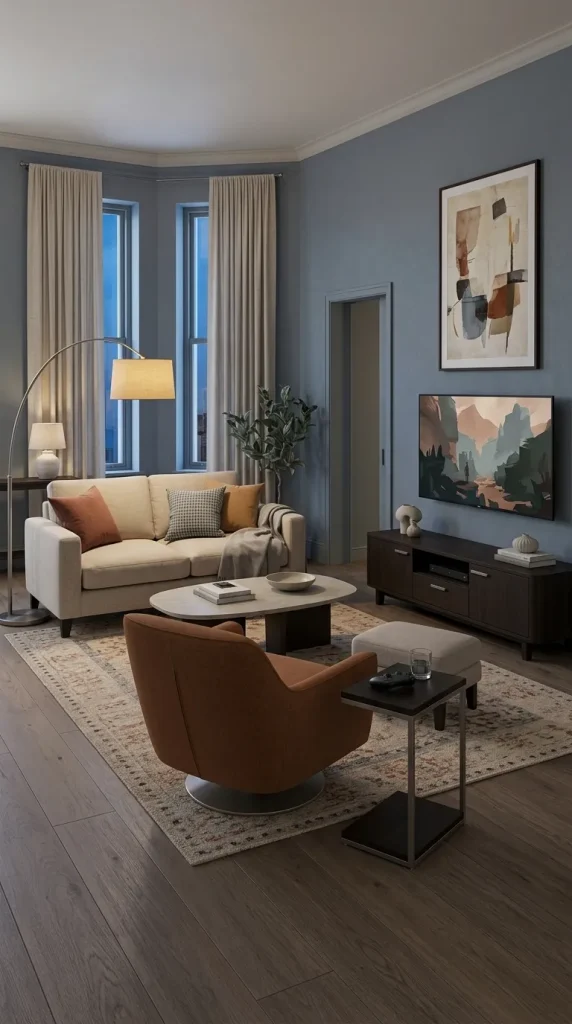
25. Use an Upholstered Swivel Chair Instead of a Racing-Style Gaming Chair
A traditional racing-style gaming chair can look visually disconnected from the furniture in an otherwise thoughtfully decorated living room. If you want a gaming seat that blends into the space, consider an upholstered swivel chair or a simpler ergonomic task chair.
The correct choice depends on how the chair will be used. A PC gaming station requires appropriate desk ergonomics and adjustable support, while an additional console chair can prioritise comfort and ease of movement.
Choose upholstery and proportions that relate to the sofa and other furniture. A compact upholstered swivel chair can provide extra seating during gatherings and move towards the screen when needed, making it useful beyond gaming sessions.
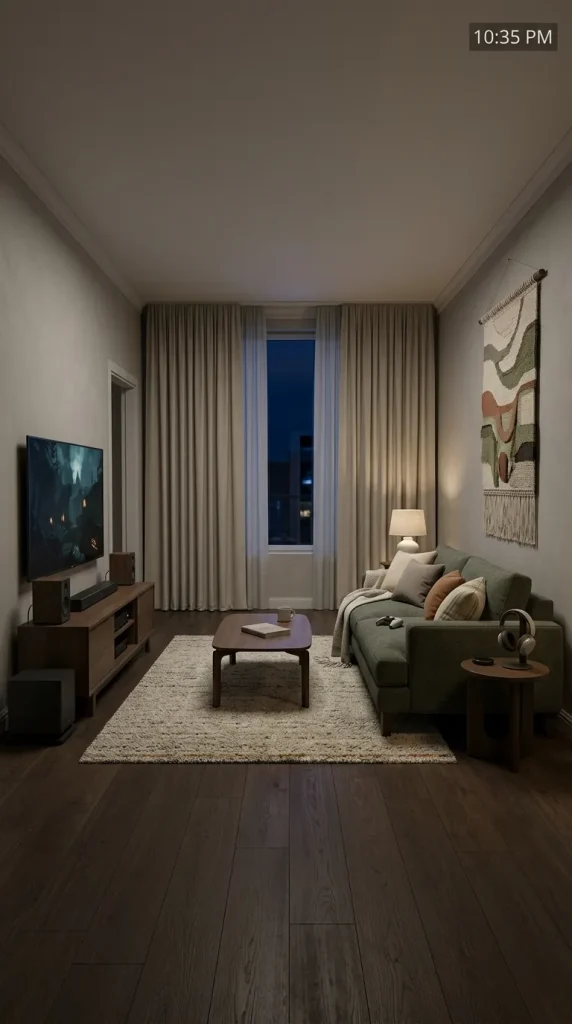
26. Create a Quieter Gaming Living Room for Shared Homes
Sound management becomes important when the living room shares walls with bedrooms, neighbouring apartments or other occupied spaces. A beautiful gaming setup can still cause frustration if every late-night session disturbs the rest of the household.
Soft furnishings such as rugs, curtains and upholstered furniture can help reduce some sound reflections within the room. Headphones may be a more practical solution for late-night gaming, particularly when several people use the home differently.
Plan the speaker arrangement according to the seating and surrounding rooms, and avoid positioning a powerful subwoofer directly beside a shared wall when that creates unwanted disturbance. A comfortable gaming environment should work for people who are not gaming as well.
Explore Modern, Luxury and Retro Gaming Aesthetics
Gaming living rooms can support many different interior styles. A sophisticated modern lounge does not need the same furniture or decorations as a colourful retro gaming corner, while a themed space can express personal interests without taking over every wall.
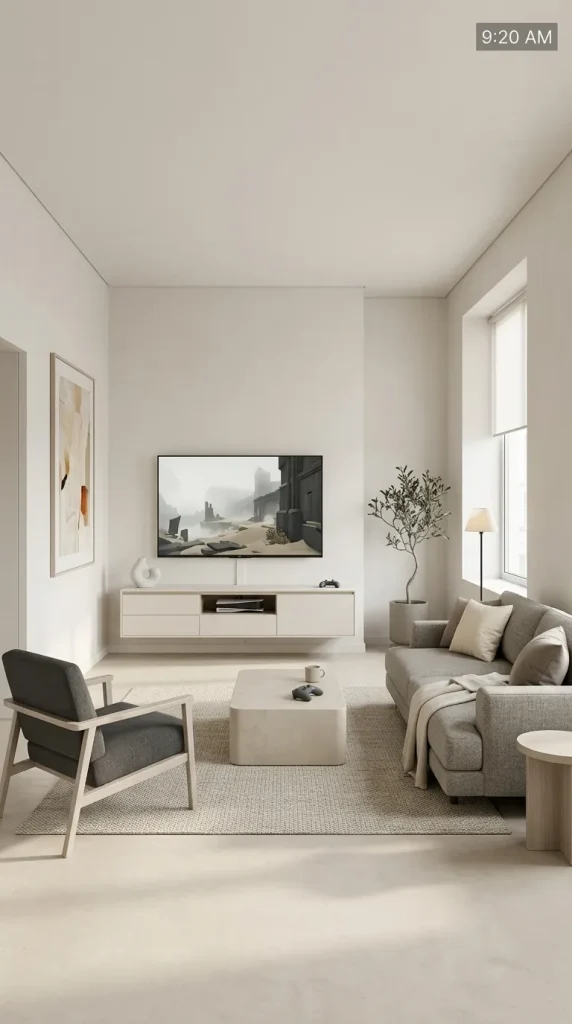
27. Create a Minimalist Gaming Living Room With Concealed Technology
A minimalist gaming living room prioritises clean lines, functional storage and carefully chosen equipment. A wall-mounted television, streamlined media cabinet and simple sofa can provide everything necessary for an attractive console setup.
Use closed drawers for accessories, organise visible cables and keep the number of decorative objects relatively limited. A neutral palette of warm white, beige, grey or charcoal can help the technology blend naturally into the room.
The goal is not to hide every device or make gaming inconvenient. Frequently used equipment should remain accessible, while the less attractive accessories can disappear when the room is being used for other activities.
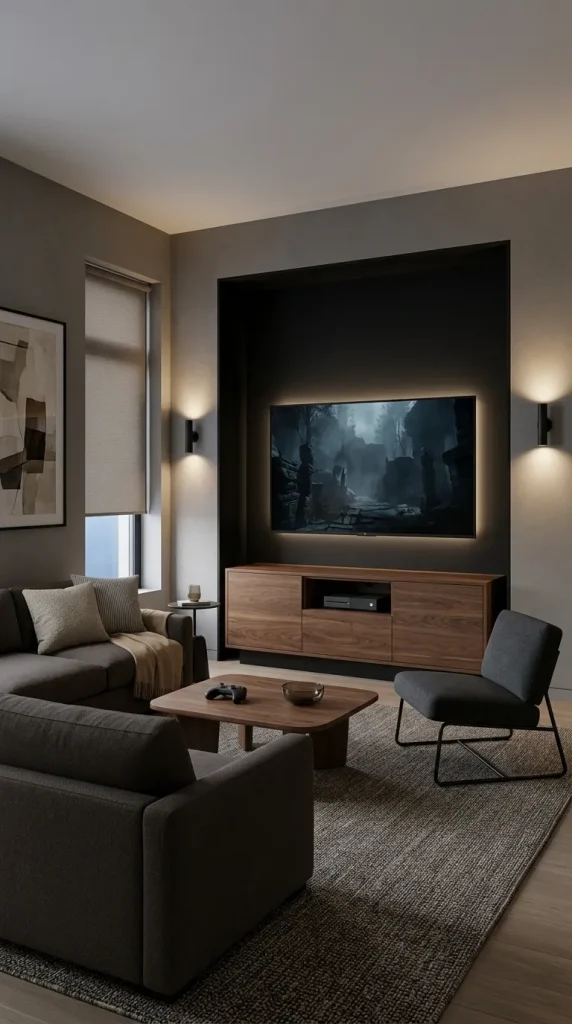
28. Combine Matte Black and Walnut for a Modern Gaming Lounge
Matte black and walnut create a particularly effective palette for an adult gaming living room. The dark finishes provide a strong visual backdrop for screens and equipment, while warm timber prevents the space from feeling cold.
Choose a walnut media cabinet or desk and repeat black through lighting, chair frames or selected decorative details. Charcoal upholstery and a textured rug can connect the different materials without introducing another dominant colour.
Subtle lighting is especially effective in this scheme. Warm wall sconces or restrained backlighting can reveal the timber’s texture while maintaining an atmospheric gaming environment. Keep accessories edited so the combination of materials remains the principal decorative feature.
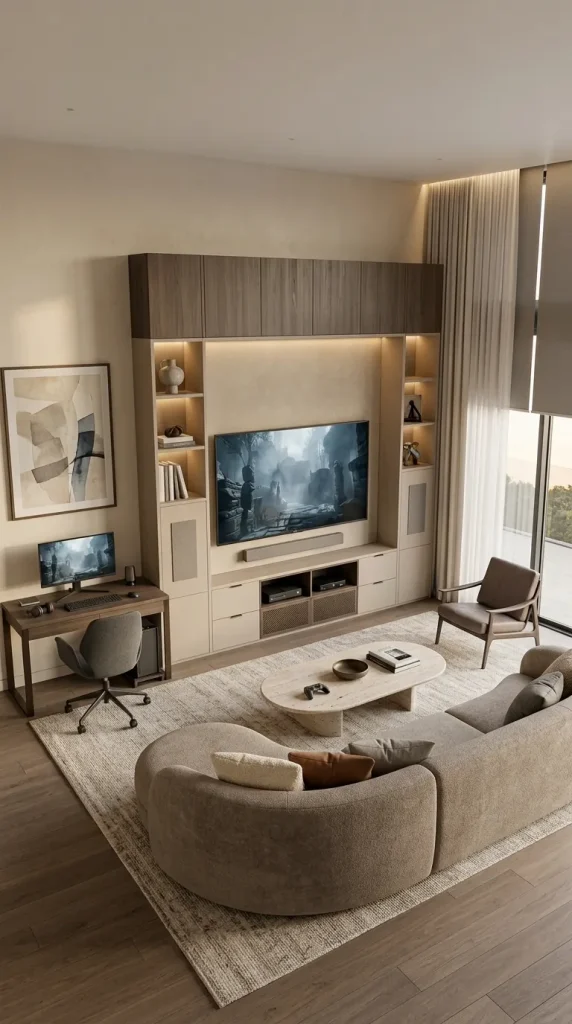
29. Design a Luxury Gaming Living Room With Integrated Cabinetry
A luxury gaming living room should feel refined because of its proportions, materials and quality of integration rather than simply the price of the equipment.
Custom or carefully selected cabinetry can combine the television, console storage, speakers and selected decorative objects into one architectural composition. High-quality timber finishes, substantial upholstery and well-planned lighting provide a sophisticated foundation.
If the room is large enough, a separate gaming desk or additional lounge chair can create a second functional zone. Consider acoustic comfort, screen placement, electrical access and equipment ventilation during the planning stage. The most successful luxury arrangement makes gaming technology feel naturally incorporated into the architecture of the home.
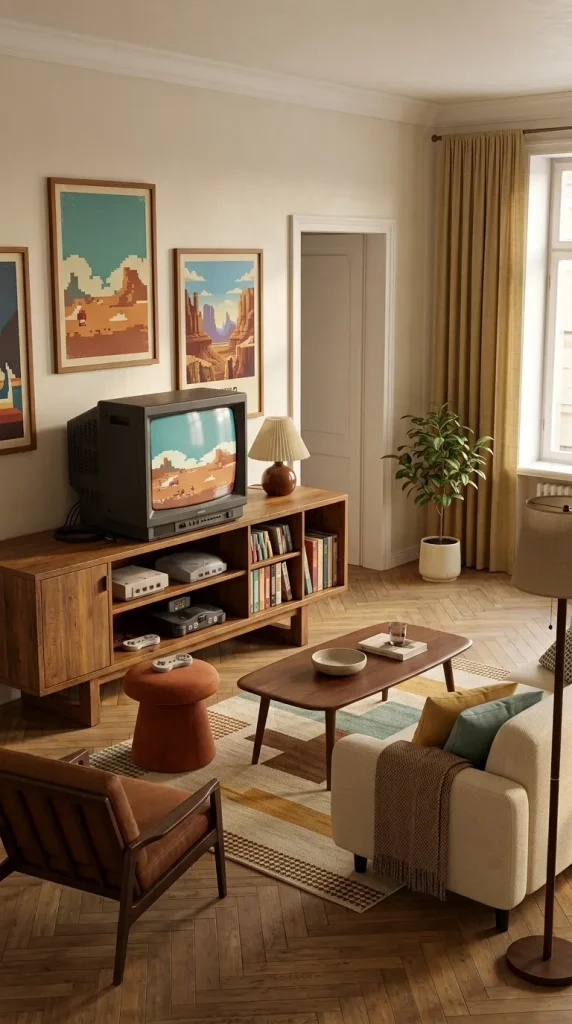
30. Create a Retro Gaming Corner With Classic Consoles
A retro gaming corner can introduce nostalgia without turning the entire living room into a museum of gaming equipment. A classic console, appropriate television, vintage media cabinet and selected game artwork can establish a strong visual identity within a relatively small area.
Warm wooden furniture, colourful retro posters and a few physical game collections can reinforce the atmosphere. If you use a CRT television, choose furniture that can safely support its weight and make sure the equipment is in suitable working condition.
Keep the retro corner visually contained so it complements the main living room. One substantial vintage cabinet and a carefully curated collection can make a stronger impression than several unrelated retro devices scattered across the space.
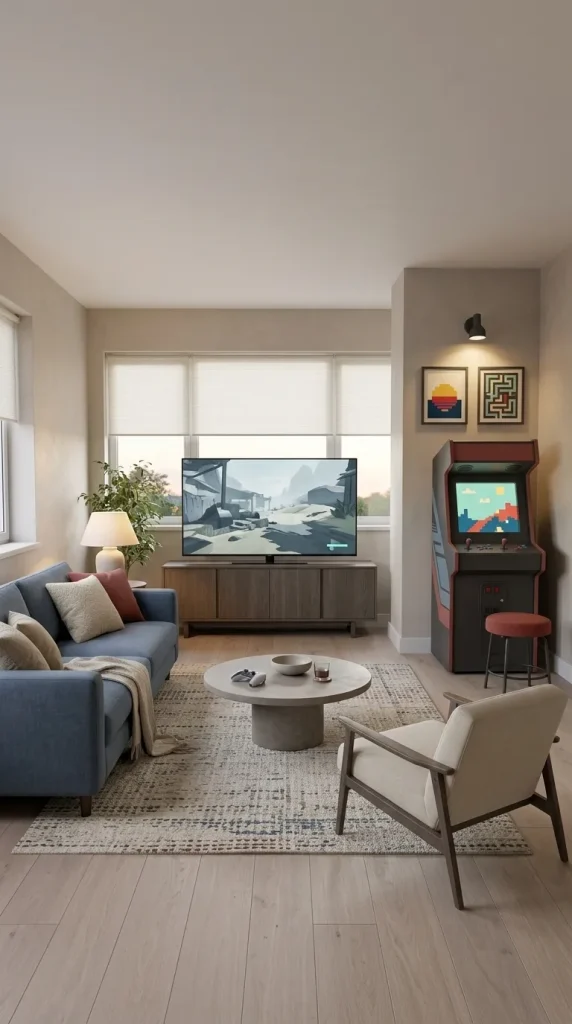
31. Add a Compact Arcade Corner for a Playful Gaming Room
An arcade cabinet can become a distinctive feature in a larger gaming living room, particularly when you want a separate activity area alongside the main console setup.
Position a compact arcade cabinet or similar suitable gaming unit against a side wall where it does not obstruct movement. A stool, framed retro game artwork and focused accent lighting can establish a playful composition without requiring a full arcade installation.
Because arcade equipment has a strong visual presence, keep the surrounding furniture relatively restrained. One thoughtfully positioned cabinet can provide enough retro character while allowing the rest of the room to function as an ordinary lounge.
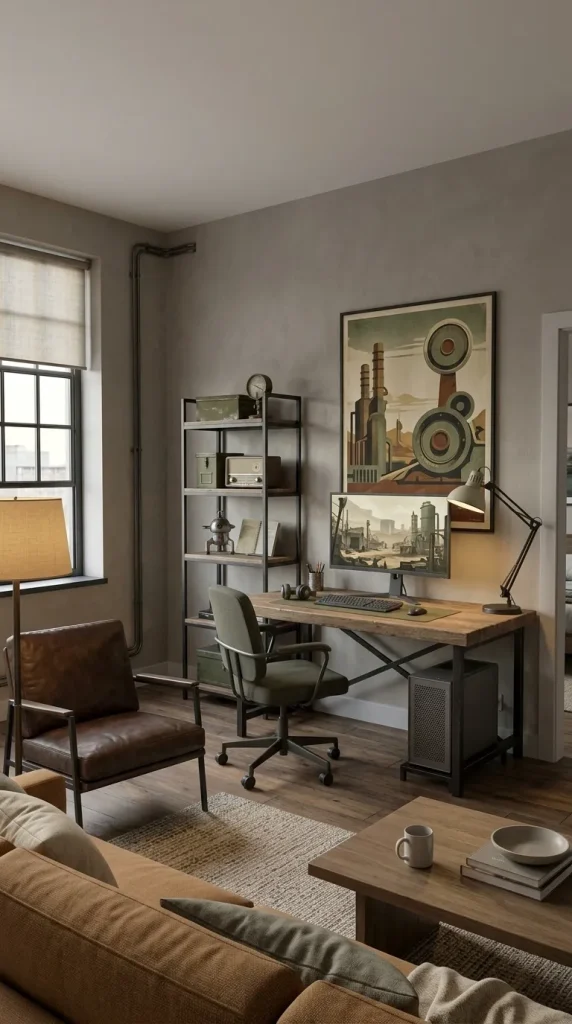
32. Create a Fallout-Inspired Industrial Gaming Corner
A Fallout-inspired gaming corner can use industrial materials, weathered finishes and retro-futurist details to suggest a post-apocalyptic atmosphere without transforming the entire living room into a themed display.
Dark metal shelving, aged timber, muted military green and selected game memorabilia can establish the aesthetic. A compact gaming desk or retro media station provides a functional foundation, while an appropriately chosen lamp adds atmosphere.
Keep the themed accessories concentrated in one area. A substantial framed artwork or carefully curated collection can communicate the inspiration more effectively than covering every surface with merchandise. The wider living room should remain comfortable and visually balanced.
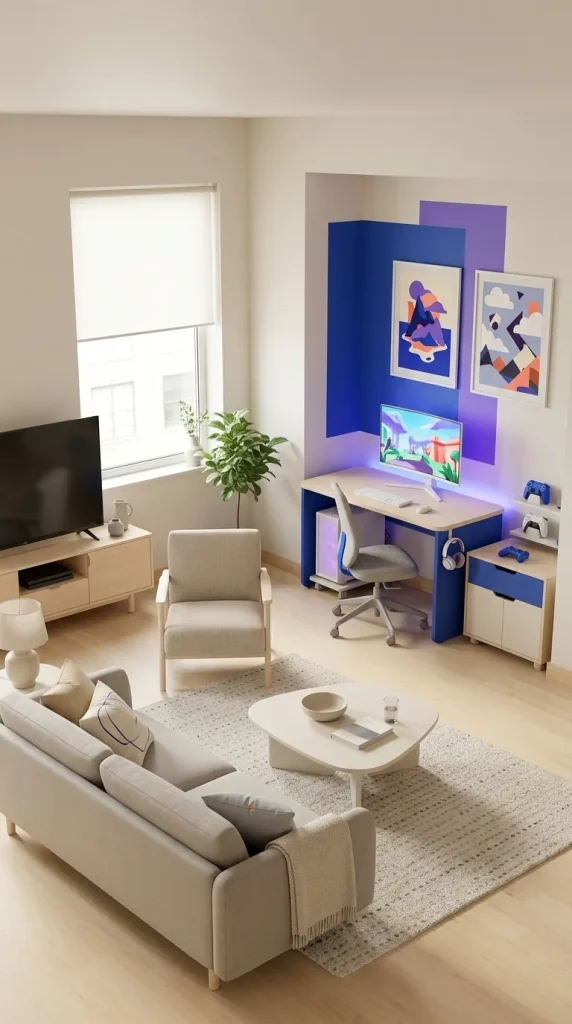
33. Design a Colourful Fortnite-Inspired Gaming Corner
A Fortnite-inspired setup offers a brighter and more playful alternative to the dark gaming lounge. Strong colour blocking, graphic artwork and programmable lighting can create an energetic atmosphere within one dedicated section of the living room.
Choose a limited combination of saturated colours rather than filling the room with every available shade. A colourful gaming desk, framed artwork and controlled LED lighting can establish the theme while the main sofa and surrounding furniture remain relatively neutral.
If the setup is intended for a younger gamer, give particular attention to practical storage, comfortable seating and clear floor space. The decorations should support the gaming experience without creating distractions or making the shared living room difficult to use.
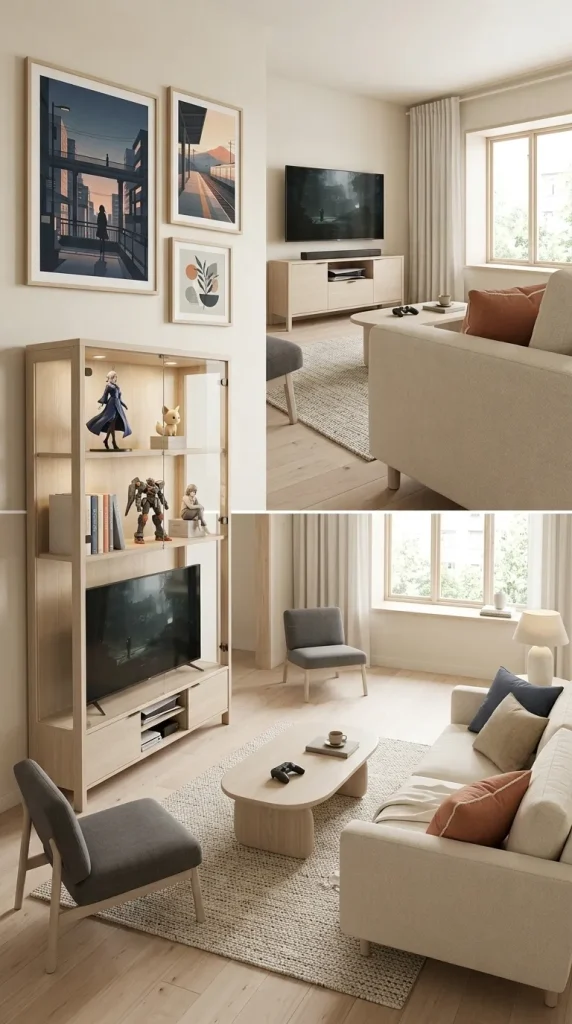
34. Create an Anime-Inspired Gaming Display That Feels Curated
Anime artwork and collectibles can add substantial personality to a gaming living room when they are arranged as part of a coherent interior design.
Choose a few favourite framed prints, a suitable display cabinet and a limited selection of figures or models. Concentrating the collection in one area creates a stronger visual impact than placing unrelated objects on every wall and shelf.
The wider room can remain neutral, allowing the artwork and collectibles to provide most of the colour. Alternatively, choose a palette inspired by a favourite series and repeat it through cushions, artwork or subtle lighting. Glass-front storage may be useful for protecting valuable collectibles, particularly in shared living rooms.

35. Create an Eclectic Gaming Lounge With Vintage Furniture and Colourful Art
A gaming living room does not need to follow a futuristic or technology-focused decorating style. Vintage furniture, patterned rugs, colourful artwork and unusual lamps can create an expressive space that reflects a wider range of personal interests.
Try combining a second-hand sofa with a substantial patterned rug, retro console, warm table lamps and selected framed artwork. A simple media cabinet can accommodate modern gaming equipment without making the technology the dominant decorative feature.
The strongest eclectic rooms use repetition to connect different pieces. A colour from the rug might appear in the artwork, while a timber finish from the coffee table can be repeated through the media cabinet. This approach is particularly appealing for apartments and shared homes where gaming is an important activity but not the only aspect of the occupants’ personalities.
How to Choose the Right Gaming Living Room Setup
The most important decision is determining how visible you want the gaming equipment to be. Some people prefer their consoles and collectibles to become the room’s main feature, while others want the technology to disappear into ordinary living room furniture when it is not in use.
| Living room type | Suitable gaming setup | Main design priority |
|---|---|---|
| Small apartment | Console below the main TV, compact storage | Preserve floor space |
| Studio apartment | Coordinated media cabinet and small PC desk | Visual cohesion |
| Family living room | Sectional sofa, shared TV, accessible storage | Comfortable multiplayer gaming |
| Couple’s living room | Dual desks or combined PC and console zones | Separate activities without crowding |
| Modern lounge | Floating cabinet, concealed cables, restrained lighting | Clean integration |
| Dark gaming den | Deep wall colours, soft furnishings, subtle backlighting | Immersive evening atmosphere |
| Luxury living room | Integrated cabinetry, substantial seating, planned sound | Architectural quality |
| Retro gaming room | Classic consoles, vintage furniture, curated media | Distinct nostalgic character |
| Eclectic apartment | Vintage furniture, personal artwork, discreet gaming equipment | Individual style |
For a console-focused room, the relationship between the television and seating should guide the arrangement. For a PC-focused space, desk depth, monitor placement, chair clearance and cable management become more important. A hybrid gaming living room needs both areas to feel coordinated without obstructing one another.
Five Common Gaming Living Room Design Mistakes
Allowing gaming equipment to dominate the entire space. A living room should still feel comfortable for ordinary daily activities. Choose storage, furniture and decorative materials that allow the technology to coexist with the rest of the interior.
Using excessive RGB lighting. Bright coloured lighting can create atmosphere, but it may also make a shared living room feel visually overwhelming. Concentrate decorative lighting around one area and maintain comfortable ambient lighting for everyday use.
Ignoring screen placement and glare. A beautifully decorated TV wall is less successful when viewers have to look sharply upwards or sunlight reflects across the screen. Plan the seating and screen relationship before installing furniture or decorative panels.
Concealing equipment without ventilation. Closed cabinetry can make a gaming setup look tidy, but consoles and computers require appropriate airflow. Follow the equipment manufacturer’s clearance and ventilation guidance.
Leaving accessories and cables without dedicated storage. Controllers, headsets, game cases, charging cords and speakers can quickly create clutter. Integrate storage and cable management into the original design instead of treating them as problems to solve after everything is installed.
Frequently Asked Questions
How can I make a gaming setup look good in my living room?
Choose gaming furniture that complements the existing sofa, coffee table and storage. A coordinated media cabinet, organised cables and restrained lighting can make consoles and other equipment feel naturally integrated. Concentrate decorative gaming elements around one focal area rather than spreading them throughout the room.
How do I create a gaming living room in a small apartment?
Use the main television for console gaming and incorporate a compact media cabinet with closed storage. If you also need a PC setup, choose a narrow desk along a suitable wall or in an unused corner. Prioritise clear walking routes, vertical storage and furniture that serves more than one purpose.
What lighting is best for a cosy gaming living room?
Layered lighting is usually more flexible than relying entirely on RGB strips. Table lamps, floor lamps, dimmable ambient lighting and suitable illumination behind the screen can create a comfortable atmosphere. Adjustable accent lighting allows the room to change between everyday use and gaming sessions.
Can I put a gaming desk in my living room?
Yes. A compact gaming desk can fit naturally into a corner, alcove, side-wall arrangement or the space behind a sofa. Choose materials that coordinate with the living room furniture, provide enough room for a comfortable chair and position the monitor to minimise glare.
How do I make a gaming living room feel cosy rather than futuristic?
Choose comfortable upholstery, a substantial rug, warm timber and soft lighting. Keep consoles and cables organised, and use gaming artwork or accent lighting selectively. A deep sofa, walnut media cabinet and carefully positioned lamps can create an inviting gaming space without depending on bright colours or extensive technological decoration.
Create a Gaming Living Room That Works Beyond the Screen
The best gaming living room ideas balance two important goals: creating a comfortable place to play and maintaining a room that feels attractive during everyday life.
A small apartment may need only a compact console station and well-organised media cabinet. A larger family room can support a sectional sofa, shared gaming setup and practical accessory storage. A couple may benefit from dual PC desks, while someone who loves retro games might prefer a carefully curated vintage gaming corner.
Whatever the layout, begin with furniture proportions, screen placement and the way people move through the room. Integrate storage early, control cables and make sure gaming equipment has adequate ventilation. Then introduce colour, artwork and lighting that reflect your personal style.
A gaming living room does not have to look like a dedicated gaming room. With thoughtful design, it can be a sophisticated lounge, a cosy family space, a colourful apartment or a relaxed entertainment area that becomes more immersive whenever it is time to play.